/
/
 ChatGPT
 GeminiChatGPTGemini
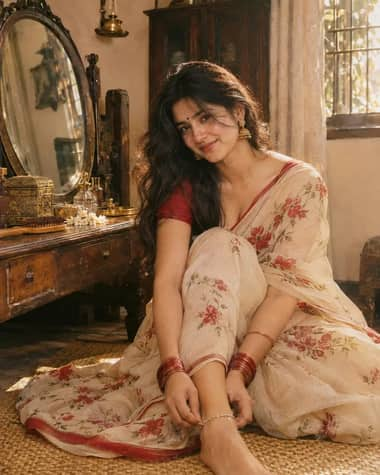
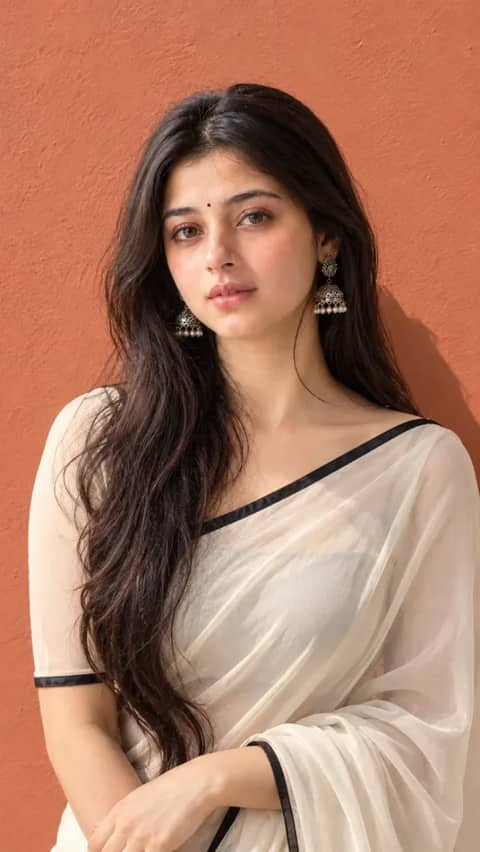
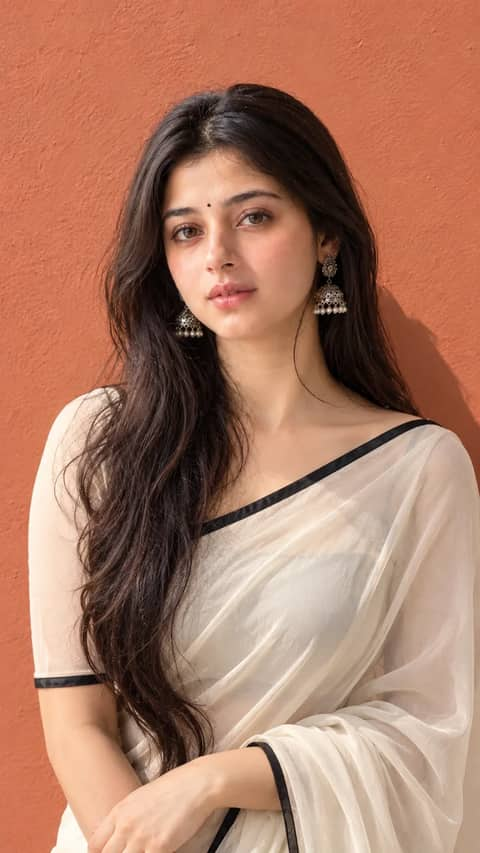
A sunlit editorial portrait featuring a sheer ivory georgette saree with a thin black border against a warm terracotta wallm

Quick workflow
Copy the prompt, customize any details, and generate in ChatGPT or Gemini.
Open ChatGPT or Gemini in your browser or app.
Upload your selfie to use your own face (or skip to make a new character).
Copy the prompt card above and paste it into the chat.
Press send to generate. Adjust any details you want.
Browse our curated library of tested AI image prompts or filter by your favorite tool.
Guide
Hard daylight paired with raw plaster surfaces creates an instant editorial feel without cluttered props. This setup relies on two core visual anchors: the sheer texture of an ivory georgette saree and the rough, light-absorbing surface of a matte terracotta plaster wall. By positioning the light source high above the subject, you get sharp graphic shadows right under the jawline, chest folds, and nose. This cuts out the need for artificial post-processing effects while keeping the subject clean and distinct.
Georgette is semi-transparent and slightly grainy by nature. AI models tend to turn all silk and georgette into glossy satin if you do not specify texture controls. Calling out daylight creates precise edge highlights along the drape folds. The overhead angle casts micro-shadows into the weave of the fabric, preventing the garment from rendering as a flat white shape.
Control black border bleed
When prompting a minimal black border on light sarees, models often throw random black trim across the entire body. Keep the phrasing isolated: specify a minimal matte black border line only on the outer edge hem. If black leaks onto the blouse, explicitly specify a separate solid color for the top.
Setting an overhead daylight angle brings out small details across the chest and shoulder drape. Shadows stay short and direct. This avoids muddy midtones across the backdrop.
A common mistake with warm backdrops is specifying brick or tile, which adds messy grid lines. Plaster gives you a smooth surface with subtle tactile depth. Specifying a flat seamless matte terracotta plaster wall keeps the focus on the subject while giving the warm tones space to breathe.
Both models handle studio portraits well, but they approach color separation differently:
GPT IMAGE 2.5 for skin texture and drape balance
GPT IMAGE 2.5 excels at separating human skin tones from warm background casts. It retains clear jawline shadows against terracotta without spilling orange light onto the subject's forehead or neck.
Nano Banana Pro prioritizes high visual contrast and vibrant color rendering. It renders the matte plaster surface with rich surface variation, though you may need to reduce color saturation slightly if the terracotta skin reflections become too strong.
AI diffusion models routinely smudge fine facial detail when processing daylight scenes. To maintain clear identity and correct surface rendering, target these common prompt failures:
When an image is dominated by terracotta or rust tones, generator algorithms often blend the background warmth straight into the face. Fix this by specifying natural skin tones under direct neutral light. This forces the model to treat the subject and backdrop as separate color zones.
Synthetic drapes often hover unnaturally off the shoulder. Mention waist-up framing angled slightly to the side to give the model a realistic human geometry target. This forces the saree to fall heavy along the torso instead of fanning out into soft, floaty digital clouds.
FAQ
Specify neutral daylight lighting and direct natural skin tone in your text prompt. This creates a distinct separation between the warm background plaster and the subject's skin face tone.
GPT IMAGE 2.5 handles thin textiles like georgette with realistic draping physics, while Nano Banana Pro gives stronger contrast on raw backdrop textures.
Next ideas
 ChatGPTModel:GPT IMAGE 2.5