/
/
 ChatGPT
 GeminiChatGPTGemini
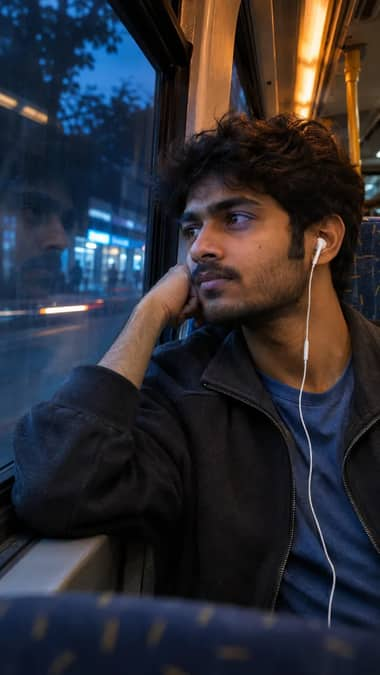
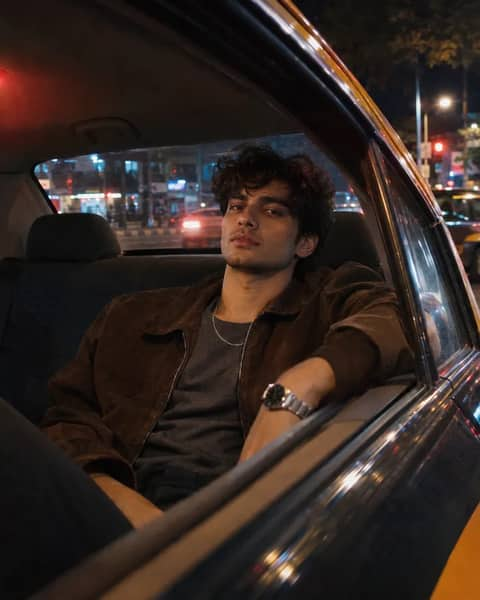
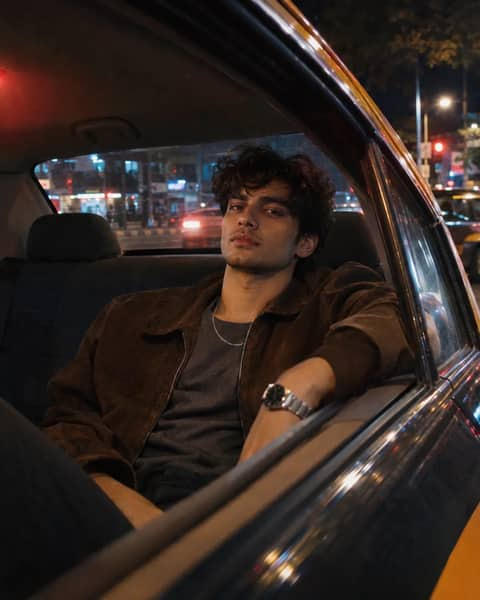
a moody nighttime taxi portrait of a young man with city lights, cinematic shadows and a realistic urban film look.

Quick workflow
Copy the prompt, customize any details, and generate in ChatGPT or Gemini.
Open ChatGPT or Gemini in your browser or app.
Upload your selfie to use your own face (or skip to make a new character).
Copy the prompt card above and paste it into the chat.
Press send to generate. Adjust any details you want.
Browse our curated library of tested AI image prompts or filter by your favorite tool.
Guide
The Midnight Taxi Portrait prompt produces a cinematic night scene of a young man inside a moving vehicle, framed by glowing city lights and contrasting color temperatures. It's built for GPT IMAGE 2.5 and Nano Banana Pro to bypass the plastic, over-smoothed look that usually plagues AI portraits.
Night photography inside a car relies on mixed light sources. Street lamps pump warm amber tones through the glass, while the dark interior casts deep blue shadows across the subject.
When you write prompts for this scene, you can't just say "make it cinematic." You have to spell out the physical interaction between the light and the materials.
Control the color temperature split
Specify cool blue shadows and warm amber highlights directly in your prompt text. This stops the generator from turning the entire image a flat orange or muddy yellow.
The prompt specifies a dark brown suede jacket over a charcoal-gray T-shirt. Mentioning specific fabrics forces the rendering engine to calculate micro-textures like suede pile and cotton weave instead of flat, painted surfaces. That's what keeps the clothes looking real.
Real street portraits shot through car windows have a distinct optical signature. The prompt locks this in by referencing a 35mm f/1.4 lens, ISO 1600, and a 1/125s shutter speed.
You need that wide aperture to separate the subject from the backseat. If the background stays too sharp, the image looks like a composite pasted together in Photoshop.
Different models interpret urban night scenes in their own ways. You'll get distinct results depending on which engine you load.
GPT IMAGE 2.5 handles reflections better
Use GPT IMAGE 2.5 when you want accurate reflections of neon signs on the car window glass. It places the reflections over the subject naturally without washing out facial details.
Nano Banana Pro leans toward punchier contrast straight out of the box. It handles dark clothes against dim interior upholstery cleanly, but you might need to dial down the saturation if the red traffic light reflections get too intense.
AI generators love to mess up hands, watches, and window glass. If your output looks strange, check these common failure points.
AI often smooths skin when working with low-light prompts. If the face looks like a plastic doll, add explicit texture cues like "visible pores, fine stubble, and natural skin oils."
When the prompt mentions a thin silver necklace or a wristwatch, the AI might disconnect the metal from the body or distort the links.
Lock down the accessories
If the watch looks melted into the wrist, add descriptive positioning words like "resting flat against the wrist bone with a visible steel clasp."
Sometimes the AI gets confused about whether the camera is inside or outside the car. If you see strange ghost reflections or steering wheels floating in the background, emphasize the exterior camera angle: "Photograph him from outside the vehicle through the partially lowered rear window using the window frame as a natural compositional border."
Next ideas
 ChatGPTModel:GPT IMAGE 2.5