/
/
 ChatGPT
 GeminiChatGPTGemini
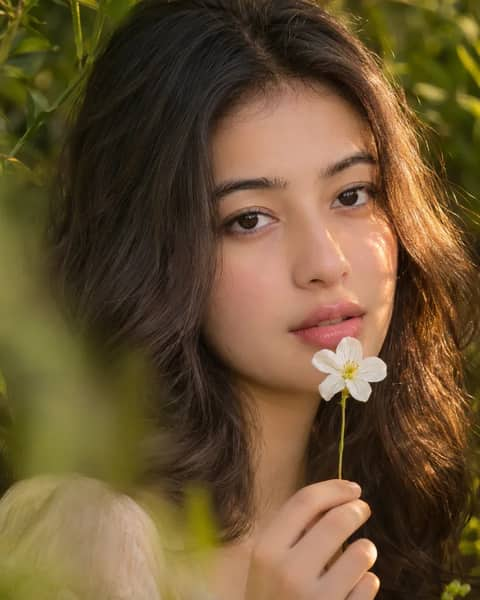
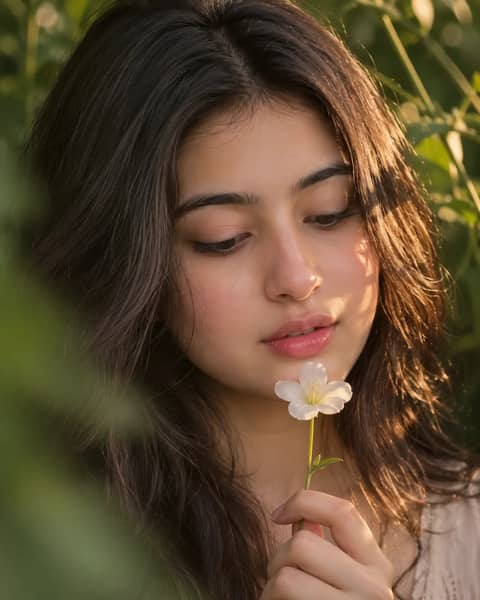
Soft focus, warm sunlight and one tiny white flower near the lips give this ChatGPT or Gemini portrait a delicate garden aesthetic.

Quick workflow
Copy the prompt, customize any details, and generate in ChatGPT or Gemini.
Open ChatGPT or Gemini in your browser or app.
Upload your selfie to use your own face (or skip to make a new character).
Copy the prompt card above and paste it into the chat.
Press send to generate. Adjust any details you want.
Browse our curated library of tested AI image prompts or filter by your favorite tool.
Guide
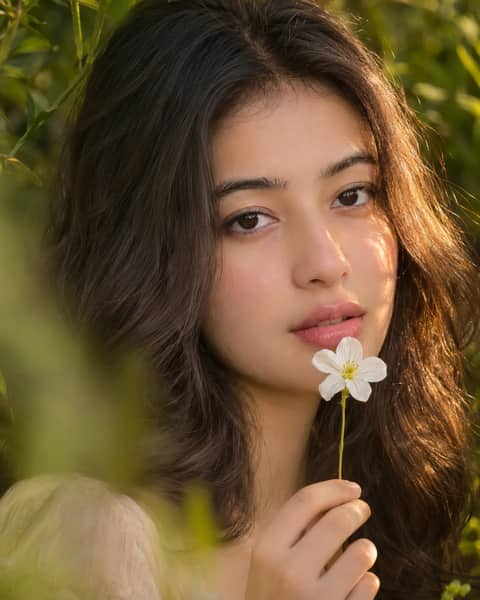
This prompt generates a close-up garden portrait of a woman holding a small white blossom to her lips, framed by dappled sunlight and out-of-focus green leaves. It sets up an intimate, soft-focus editorial shot where natural light handles the modeling rather than heavy studio flash.
Extreme close-up portraits often fall apart when prompts call for ultra-wide apertures like f/1.2 or f/1.4. At f/1.4, image generators tend to turn everything behind the eyelashes into a flat blur, wiping out cheekbone contours, hair texture, and the flower itself. Setting the lens to a full-frame 50mm at f/2.8 gives enough depth of field to keep the iris and petal veins crisp, while letting background foliage melt into soft green shapes.
A 50mm focal length also matches normal human eye perspective. An 85mm lens flattens the distance between foreground leaves and the face too much, losing the layered feeling of someone looking out from behind bushes. A 35mm lens would distort facial features if placed this close to the subject's mouth. Specifying 1/250 s and ISO 400 also signals to the model that this is a handheld, daylight photo with natural film texture instead of a slick, plastic digital render.
Lighting direction makes or breaks this composition. Splitting the face between direct late sun on one cheek and leaf shade on the other forces the AI to build contrast across the nose bridge and jawline without leaning on flat, dead shadows.
Leaf shade should never render as muddy grey. The phrase "translucent leaf shade" tells the model to calculate light passing through thin plant tissue. This casts a believable warm-green glow over the shaded side of her face. Direct sun hitting the opposite cheek provides a bright rim along her jaw and catches loose hair strands, pulling the subject cleanly away from the darker background foliage.
Keep green color bounce under control
If foreground leaves make the skin on the shadowed cheek look sickly, add "warm bounce light on shaded skin" right after the lighting instructions to pull skin tones back to natural peach and tan.
Both platforms handle this scene well, but their underlying biases create different results.
GPT IMAGE 2.5 follows reference face images closely. When you supply a face reference, it preserves the original cheekbone width, eye shape, and hairline without slipping into a generic face template. It also excels at mechanical details like fingernails pinching a thin stem and crisp petal veins. The main risk is that it can over-smooth skin surfaces if camera settings like ISO and shutter speed are left out.
Nano Banana Pro handles light transmission through foliage with exceptional realism. Dappled leaf shadows fall naturally across the skin without repeating artificial circle patterns. Hair strands catching back light look fine and individual rather than painted on. The main drawback is face consistency: Nano Banana Pro can subtly widen eye spacing from an uploaded reference unless you state "preserve facial proportions" early in the prompt.
Use GPT IMAGE 2.5 for reference consistency
Choose GPT IMAGE 2.5 when you need an exact likeness from an uploaded face reference, especially around tricky areas like lip shape and jawline width.
Tight portrait crops involving hands and flowers introduce common generative errors. These specific prompt adjustments fix them:
Next ideas
 ChatGPTModel:GPT IMAGE 2.5