/
/
 ChatGPTChatGPT
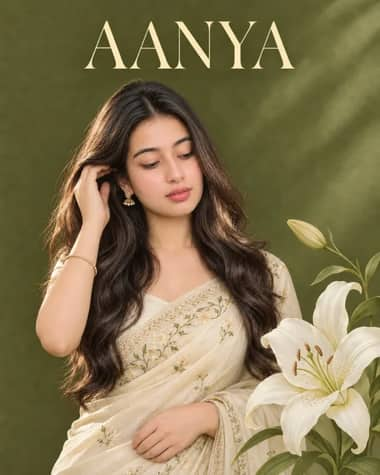
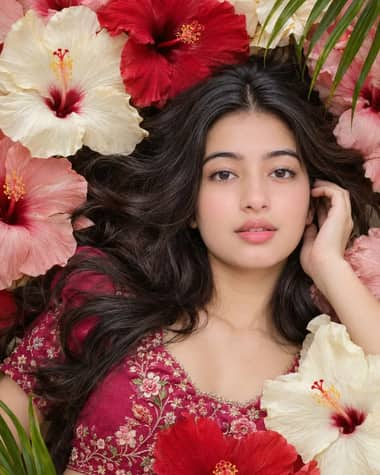
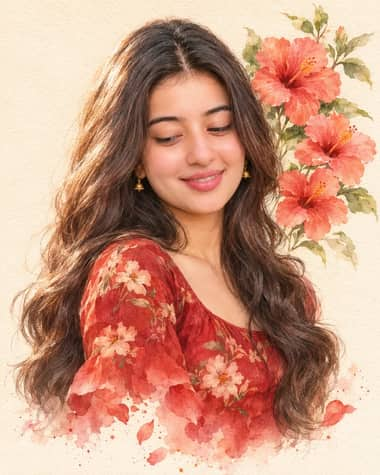
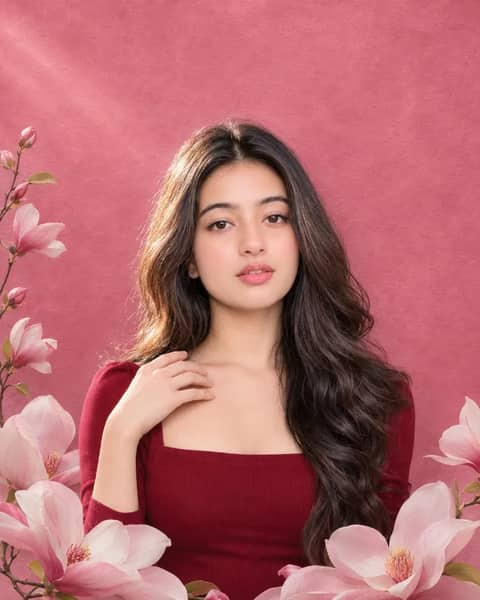
ChatGPT brings a romantic floral cover to life with pale magnolia petals, a deep-red blouse and a textured raspberry-pink backdrop.

Quick workflow
Copy the prompt, customize any details, and generate in ChatGPT.
Open ChatGPT in your browser or app.
Upload your selfie to use your own face (or skip to make a new character).
Copy the prompt card above and paste it into the chat.
Press send to generate. Adjust any details you want.
Browse our curated library of tested AI image prompts or filter by your favorite tool.
Guide
The Pink Magnolia Portrait Cover prompt creates a mixed-media editorial poster featuring a chest-up portrait cutout framed by soft botanical petals on a tactile paper surface. It blends graphic design layouts with portrait photography, producing a look reminiscent of a high-end fashion magazine cover or gallery print.
The key to this composition lies in how it separates the subject from the background. Instead of placing the woman directly into a real flower field, the prompt requests a "chest-up cutout" with a visible edge placed over textured raspberry paper. This tiny instruction changes everything. It tells the generator to treat the image as a physical multi-layered art piece rather than a standard single-plane photo.
Layering three distinct shades of red and pink requires strict contrast control. You have a deep red square-neck blouse, a textured raspberry-pink background sheet, and pale pink magnolia petals. If the values are too close, the blouse bleeds into the backdrop. The deep red anchor prevents the portrait from washing out against the lighter paper. Meanwhile, the pale magnolia petals act as an organic frame around her shoulders, breaking up the hard geometric line between the cutout and the paper backing.
Keep negative space clean
If the model tries to print gibberish magazine titles in the empty area, reinforce the negative space rule by specifying blank matte paper with no typography or text marks.
Leaving the top quarter "airy and unlettered" serves two practical purposes. First, it leaves clean negative space if you want to bring the image into Photoshop or Illustrator to overlay real typography for a book cover or event poster. Second, it stops the model from hallucinating garbled, illegible letters that often ruin AI-generated poster layouts.
The prompt relies on specific photography settings to counteract the artificial, plastic look common in AI portraits:
Both supported image tools handle this prompt well, but their defaults create distinct results.
Choose GPT IMAGE 2.5 for graphic layout precision
When you need clean negative space and clearly defined cutout edges, GPT IMAGE 2.5 follows the layout instructions with higher precision.
GPT IMAGE 2.5 excels at following compositional constraints. It reliably leaves the top quarter blank and respects the physical paper collage aesthetic, rendering distinct cutout borders and paper textures. Its handling of fabric folds on the deep red blouse is sharp, though you may occasionally need to re-roll to avoid overly symmetrical petal arrangements.
Nano Banana Pro leans heavier into photographic realism. Skin textures, stray hairs, and petal veins come out exceptionally detailed. However, it often struggles to keep the cutout edge distinct; it tends to blend the woman naturally into the background lighting instead of treating her as a distinct physical paper layer. It also has a slight tendency to paint faint text outlines in empty spaces, so you must firmly emphasize leaving the top area unlettered.
When generating heavy red and pink tones, image models often push magenta into skin tones, making the subject look sunburned. If this happens, add neutral olive undertones or porcelain skin with balanced neutral white balance right after the skin description. Specifying a cool 5600K key light also helps offset warm backdrops.
If the face looks airbrushed, your model is over-filtering the portrait. Cut any generic beauty words from your prompt. Words like "flawless", "gorgeous", or "perfect" trigger heavy smoothing filters. Stick entirely to mechanical camera notes: visible skin pores, fine skin texture, sharp focus on iris, natural matte finish.
The prompt asks for her right fingers to graze her collarbone. Hands interacting with the body are a classic weak point for AI generators. If you get fused fingers or strange wrist angles, crop higher or simplify the pose to a simple hand resting flat against the upper chest. Alternatively, change the phrasing to "one hand resting lightly just below the throat, fingers relaxed and clearly separated".
Next ideas
 ChatGPTModel:GPT IMAGE 2.5