/
/
 ChatGPTChatGPT
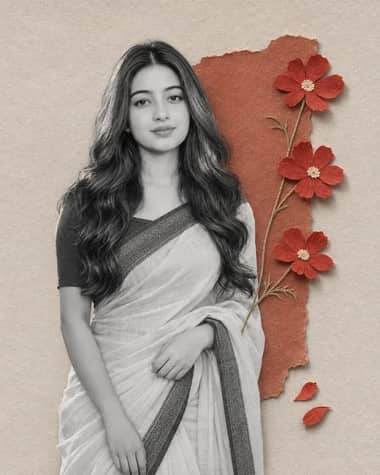
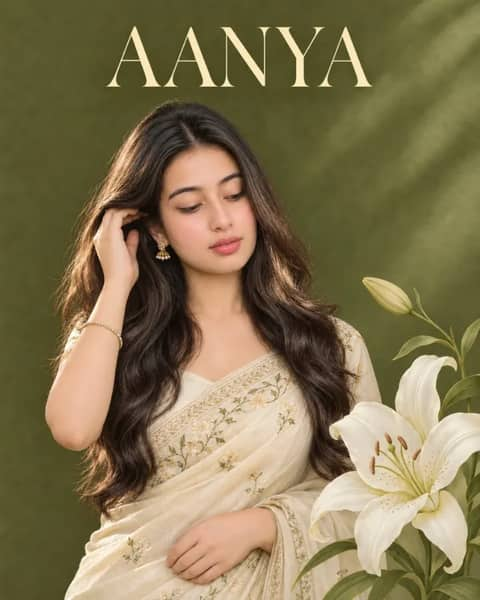
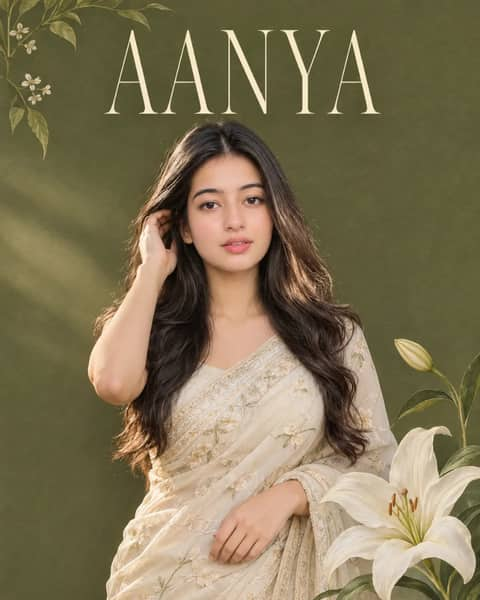
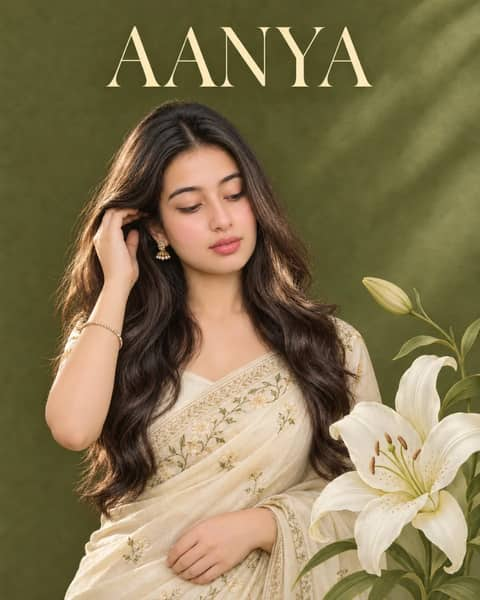
Personalise an olive-green floral cover with your own name and saree portrait in ChatGPT, framed by delicate illustrated white lilies.

Quick workflow
Copy the prompt, customize any details, and generate in ChatGPT.
Open ChatGPT in your browser or app.
Upload your selfie to use your own face (or skip to make a new character).
Copy the prompt card above and paste it into the chat.
Press send to generate. Adjust any details you want.
Browse our curated library of tested AI image prompts or filter by your favorite tool.
Guide
This prompt generates a vertical 4:5 botanical poster featuring a photographic portrait in an ivory saree set against matte olive-green paper, framed by illustrated white lilies and tall serif lettering across the top.
It balances two completely different visual styles in one frame: a realistic human portrait and flat, illustrated botanical artwork. Getting AI to combine flat paper graphics with photographic depth usually creates messy results. Here is how the prompt mechanics keep those elements distinct.
The prompt uses specific lens and exposure settings to stop the AI from defaulting to an over-processed digital look.
A 50mm focal length mimics standard human field of view. It avoids the facial widening of wide-angle lenses and prevents the extreme flat compression you get at 135mm. Paired with an f/2.8 aperture, the depth of field stays wide enough to keep the face, ear, saree drape, and hand sharp, while giving the olive background just enough falloff to feel like real paper.
Specifying "ISO 400" and "1/250 s" is intentional. AI image generators do not actually use shutter speeds, but these photography tokens tell the model to introduce fine, authentic sensor noise. This immediately cuts out the plastic, waxy skin texture common in standard portrait generations.
Soft side daylight creates subtle shadow transitions across the bridge of the nose and along the folds of the pallu. When light hits fabric from the side, it reveals the physical texture of the weave. Frontal lighting flattens those folds into plain white shapes.
Anchor the typography clear of the hair
Always include the phrase "clear of her hair" when prompting text above a head. Without this buffer instruction, models merge serif strokes with fine hairline strands, leaving broken letters and warped hair strands.
Both models can run this prompt, but they handle the mixed media layout differently.
GPT IMAGE 2.5 renders clean, legible typography straight out of the box. It reads the {name} placeholder, centres it in the top margin, and applies crisp serif stems that do not bleed into the olive background. It also handles fabric folds well, laying the ivory saree diagonally across the torso with accurate weight. Its main weak spot is the lily: it sometimes tries to make the flower photorealistic instead of illustrated.
Nano Banana Pro excels at human skin texture, natural asymmetry, and exact facial resemblance when using reference photos. It renders the tuck behind the ear cleanly without mangling the knuckles. However, its built-in text rendering can be inconsistent. It may introduce accidental ligatures or drop letters from longer names.
GPT IMAGE 2.5 handles clean serif lettering best
If you want the name printed cleanly without opening an external image editor, use GPT IMAGE 2.5. It respects negative space across the upper margin and keeps cream serif text sharp against dark paper.
When the model ignores the word "illustrated", the lily turns into a glossy 3D flower floating in mid-air.
Ivory fabric easily turns into flat, blinding white patches under AI studio lighting.
Hand-to-face contact often trips up image generation because fingers cross hair strands.
Sometimes the green tone from the background seeps into the edges of the white fabric, making the saree look stained.
Next ideas
 ChatGPT
Fill the placeholders you want to customize. The prompt below updates instantly, and Copy uses your filled version.
Model:GPT IMAGE 2.5