/
/
 ChatGPT
 GeminiChatGPTGemini
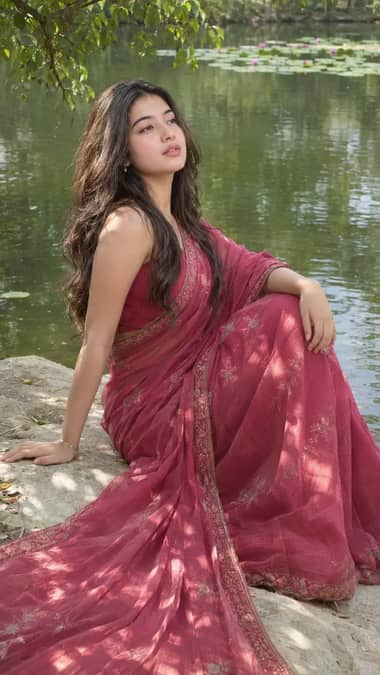
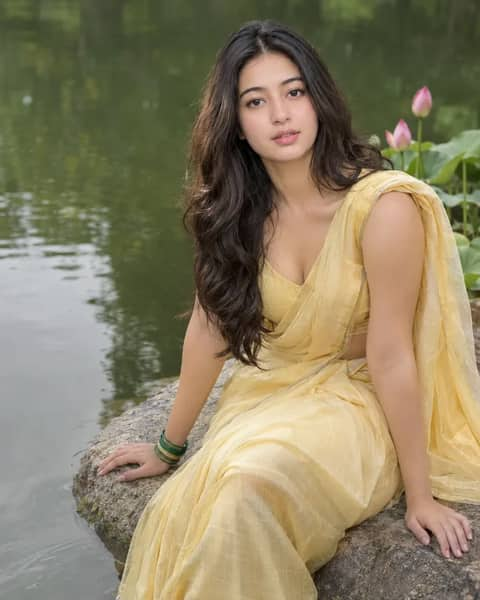
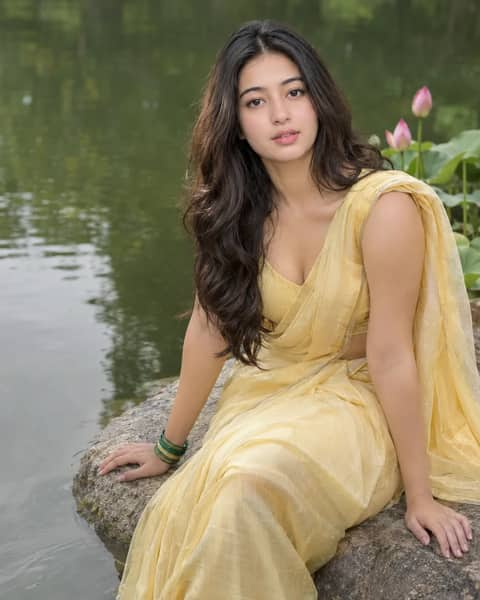
Pink lotus buds and calm green water complement a soft yellow saree. A peaceful seated pose to recreate with ChatGPT or Gemini.

Quick workflow
Copy the prompt, customize any details, and generate in ChatGPT or Gemini.
Open ChatGPT or Gemini in your browser or app.
Upload your selfie to use your own face (or skip to make a new character).
Copy the prompt card above and paste it into the chat.
Press send to generate. Adjust any details you want.
Browse our curated library of tested AI image prompts or filter by your favorite tool.
Guide
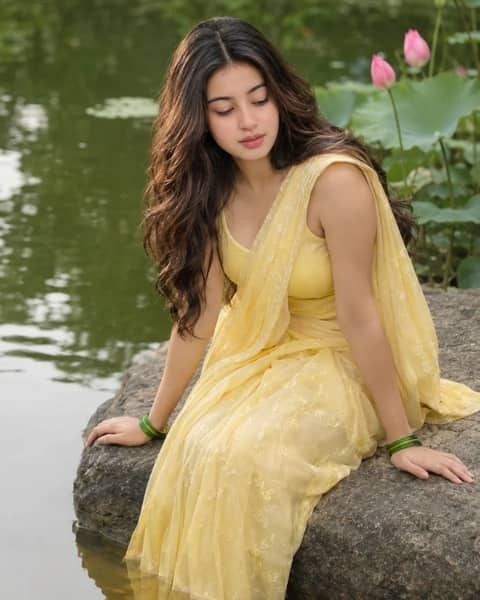
This prompt generates an outdoor Indian portrait of a woman in a soft yellow saree seated beside a calm lotus pond under flat morning light. You get a natural, unposed editorial look without the heavy plastic shine common in synthetic portraits.
Direct midday sun ruins yellow fabric. It blows out the weave into a solid patch of neon and turns skin into plastic. Setting the scene under an overcast morning fixes this instantly. Diffused cloud cover scatters the light, softening facial shadows and letting the pastel yellow tone sit naturally against dark green lily pads.
Camera settings inside the prompt anchor the scene in real optical physics:
The prompt specifies an open patch of water in the lower left. That empty negative space balances the cluster of lotus stems on the right. Without it, image models pack every square inch of the pond with oversized flowers.
Keep the yellow muted
Always specify "soft yellow" or "pale mustard" rather than "bright yellow". Default yellow prompts trigger intense saturated dyes that bleed into skin tones and water reflections.
The two supported tools treat Indian traditional clothing and pond foliage differently.
GPT IMAGE 2.5 follows specific staging instructions very well. It honors the sideways sitting angle and places both palms flat on the stone without twisting the wrists. The saree drape falls naturally over the legs, showing individual cotton-silk pleats instead of a melted yellow mass. However, it sometimes defaults to smooth, airbrushed skin. Adding "visible skin pores" or specifying the ISO 400 film grain helps push it back into realistic territory.
Choose Nano Banana Pro for water reflections
Nano Banana Pro creates more believable murky green pond water. It accurately renders pale yellow fabric reflections on the water's surface without turning the pond bright green or neon.
Nano Banana Pro produces textured skin tones right out of the box. Skin retains natural subsurface scattering, tiny flyaway hairs along the hairline, and realistic clavicle shadows. Its weakness lies in jewelry and small accessories. You may notice green glass bangles blending together into solid green cuffs rather than loose, individual rings around the wrist.
Seated poses near water introduce tricky geometry for AI models. Here is how to fix the standard problems when they appear.
When hands rest on rough textures, fingers often merge into the stone surface or sprout extra joints.
Yellow is an aggressive color in digital generation. It often leaks into the woman's blouse, casts green-yellow tinges onto her jawline, or stains the white stone beneath her.
If the pond looks like a floral shop delivery, the model is over-indexing on the word "lotus".
Next ideas
 ChatGPTModel:GPT IMAGE 2.5